Write your CV once.
Reshape it for one role every role.
Three moves. From last year's CV to this week's pitch.
Drop your old CV
We parse the PDF and prefill name, experience, skills, languages. Anything missed, you fix in seconds.
Fill the gaps once
Add the preferences your previous CV didn't have: rate, availability, work mode, geography. Stored on you, not on a template.
Pick a template, export
Switch between templates without retyping. Export PDF, or share a link your contact can open without an account.
Switch template. Same data.
One profile holds everything. The template decides what reaches the page. Nothing to retype. Click a tab, the CV re-renders.
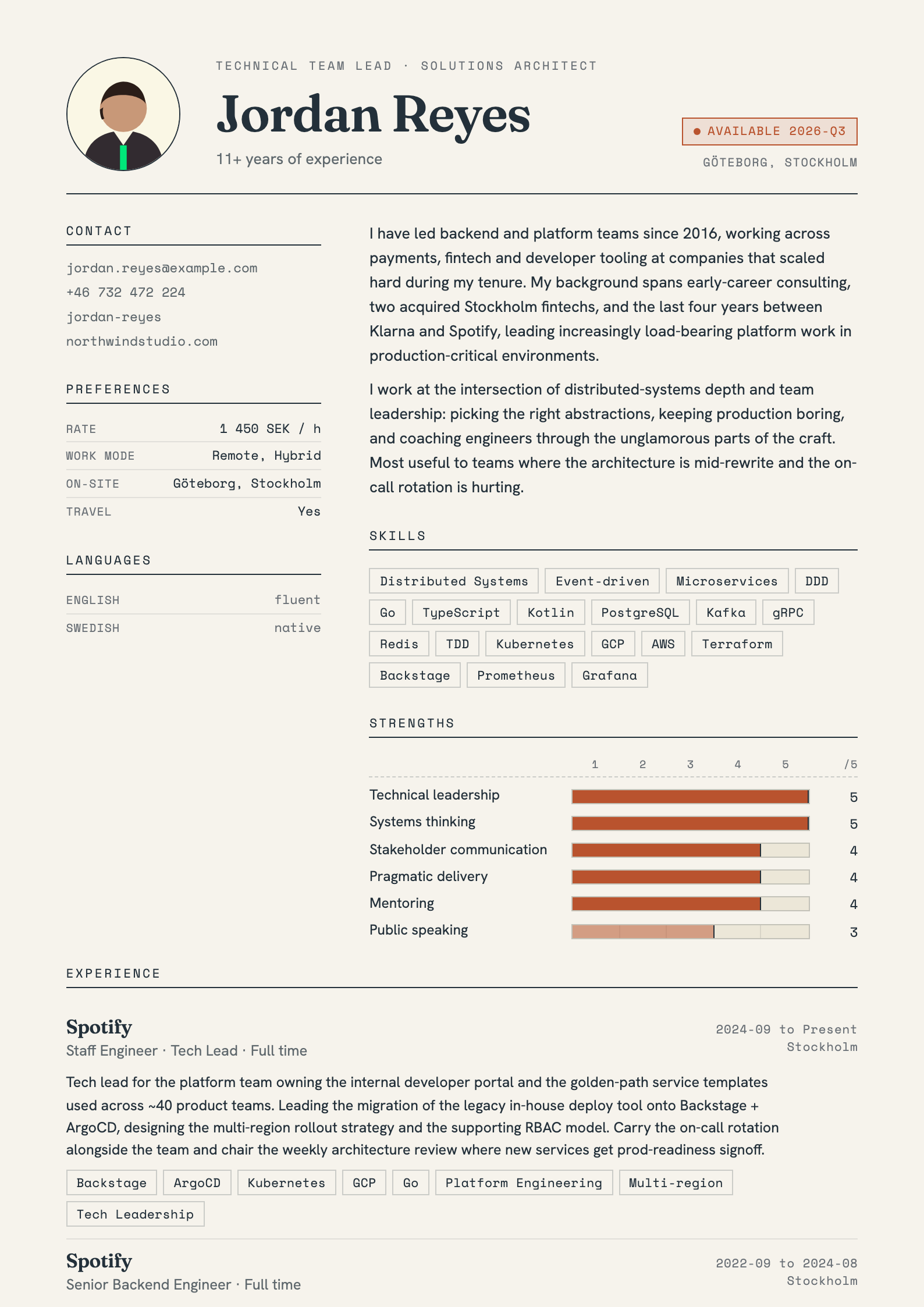
Pick a lens. Switch any time.
Resumora
FreeEditorial two-column layout. Full-width masthead, ivory paper with a deep-slate and clay palette, a strengths bar chart, and a serif Fraunces voice. Flat skills, structured references.
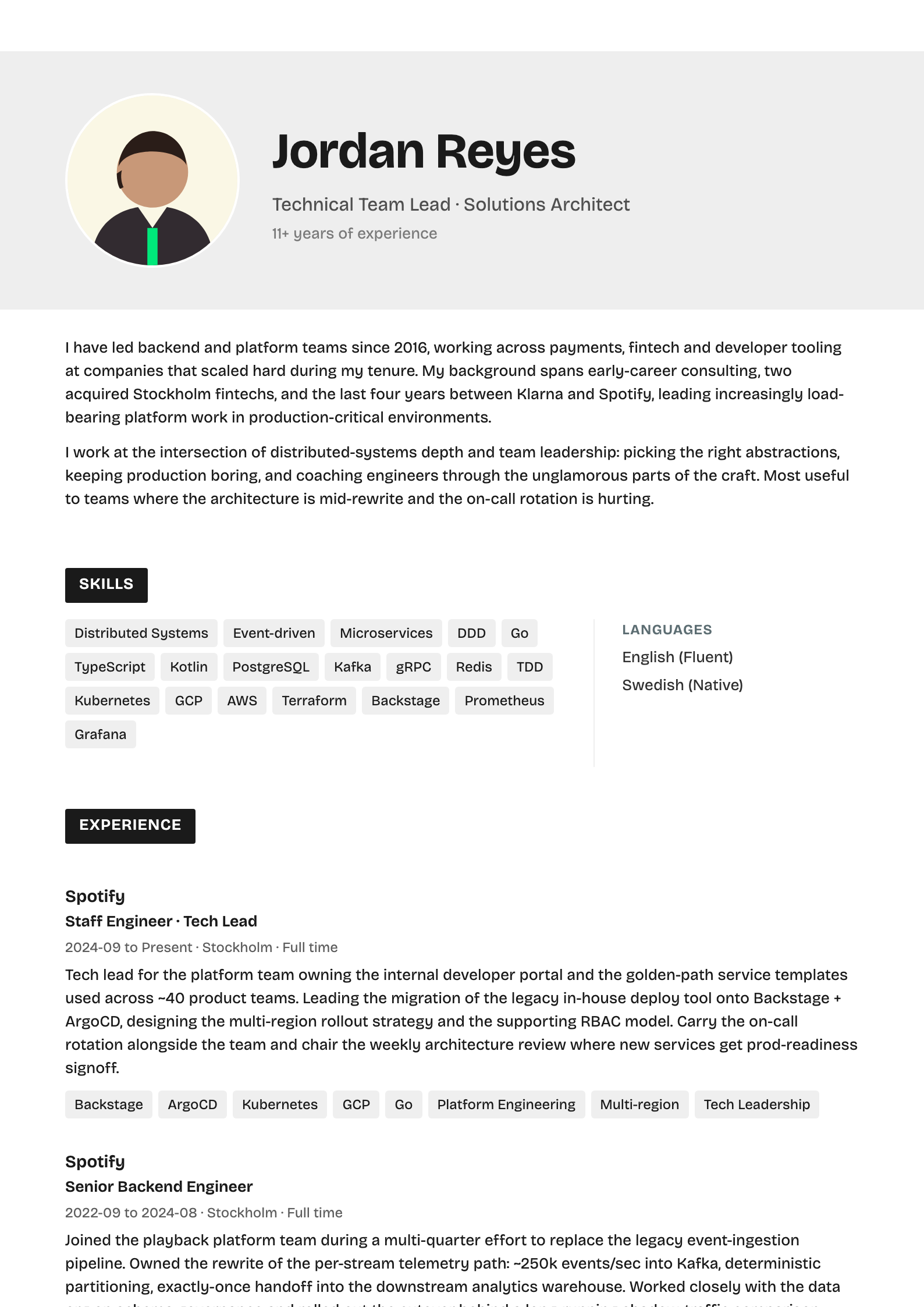
Noxis
ProRecruiter-safe neutral. White paper, near-black ink, green accent.
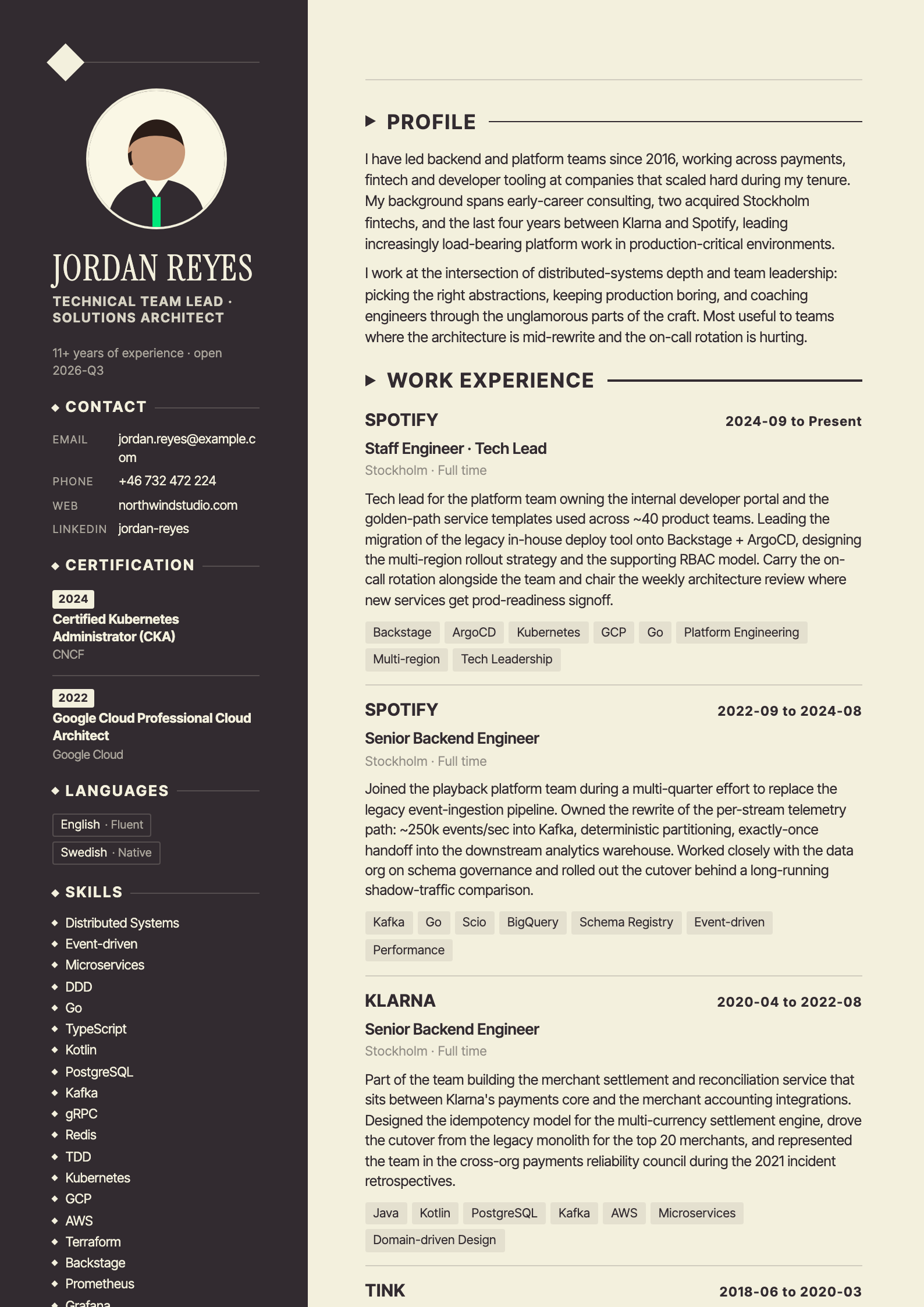
Atlas
ProTwo-page bicolumn. Dark sidebar on every page, cream paper, certificates and languages railed beside the work history.
Every employee's CV, on your brand.
Manage all your people's CVs in one org workspace.
Your logo, colors, and approved template on every export.
Update once, re-export the whole team in minutes.
The boring details we got right.
Preferences on page one
Rate, work mode, geography, availability. Recruiters scan in six seconds, so give them what they need to qualify.
Import in 30 seconds
Drop your existing PDF. We parse and prefill name, roles, dates, and skills. Edit the bits you'd rephrase anyway.
Templates pick the data
Each template uses a subset of your profile. Fields with no home stay safe in your data, ready for the next template.
Share a private link
Send a link instead of a file. Your contact opens the CV in the browser and downloads the PDF, with no account and nothing to install. Revoke it any time.
Org-wide consistency
Invite your team. Everyone brings their own profile; your branding stays locked. Goodbye the-CV-from-2019.docx.
Owned by you
Export PDF anytime. Cancel and your data leaves with you. No surprise migrations.
Quietly replacing the Word template.
“I keep one profile and spin up a tailored CV for every pitch. What used to be an afternoon of copy-paste is now two clicks.”
“Every consultant's CV finally looks like it came from the same firm. We stopped policing Word templates over Slack.”
“I send a link instead of hunting for the latest PDF. Clients open it on their phone, with no attachment and no version mess.”
Questions, answered.
Can I use one CV profile for multiple templates?
Yes. You fill in your profile once, and Resumora renders it through any template you choose. Switching templates never means re-entering data. Your profile is the single source of truth, and every export pulls from it, so you can try a different look for the same role in seconds.
Can my company manage CVs for every employee?
Yes. Organizations get a shared workspace where each employee keeps their own profile and admins can generate a CV for anyone on the team. Update a profile once and re-export, so a whole consultancy keeps every CV current and sends polished documents in minutes rather than days.
Can I put my company's branding on the CVs?
Yes. On team plans, exports are locked to your organization's brand: your logo, colors, and an approved template, so every CV your company sends out stays consistent and on-brand. No employee can accidentally ship an off-brand or out-of-date PDF to a client.
Can I keep multiple versions of my CV?
Yes. You can maintain multiple profiles for different roles or clients and switch templates per version. Every save is a snapshot, so you can tailor a CV for one application and roll back later, all from a single account, with nothing ever retyped between versions.
Is the exported CV a PDF?
Yes. Both the in-app preview and the final export are generated as PDFs on the server, so what you preview is exactly what you download and hand over. There are no formatting surprises between the editor and the finished file, on any template you pick.
Can I share my CV without sending a file?
Yes. Every profile can mint a private link. Your contact opens it in the browser and downloads the PDF, with no account to create and nothing to install. Change or revoke the link any time, and it always shows your latest saved version.
Free, until you need more.
For one person, one profile.
- ✓1 profile
- ✓The Resumora template
- ✓1 AI import
- ✓Shareable link
- —All templates
- —Unlimited profiles & imports
- —Organization & invites